When curfew begins in Nivalis Nights, stop treating the night like ordinary exploration. Your safest options are to return to your apartment and sleep or enter a public shelter and use its bed. If home is in another district or the route is unclear, look for the shelter marker through the HUD or compass tools instead of wandering through monitored streets. Security cameras and drones operate during curfew, so choosing a short, familiar route matters more than finishing one extra errand.
The most important limitation is visibility: shelter entrances may not be clearly marked during the day, and a crowded objective list can hide the first-night shelter prompt. That can make curfew feel like a dead end even though a nearby place to sleep may be available.
The fastest response when curfew starts
Use this decision order as soon as the warning or countdown appears:
- Check your current district and remaining time. Do not automatically assume your apartment is the best destination.
- Return home only if the route is short and familiar. Use the normal district transport network when it still provides a practical route.
- Choose a public shelter when home is too far away. Shelters exist specifically as places to hide and sleep when you cannot reach your apartment.
- Use the HUD or compass display to search for the relevant home-style marker. The first shelter prompt can be easy to lose among other tracked objectives.
- Enter the marked door and use the bed. Reaching an interior is not the full objective if the game is still waiting for you to sleep.
- If detection occurs, abandon unnecessary exploration. Move toward the nearest known safe interior rather than continuing to search the entire district.
| Situation | Best immediate move | Main risk |
|---|---|---|
| Apartment is nearby and you know the entrance | Return home and use the bed | Losing time at the final doorway or stairs |
| Apartment is in another district | Check transport, then prefer a local shelter if the trip is uncertain | Arriving at the wrong station or district |
| Shelter prompt is missing | Open the HUD or compass view and inspect nearby home-style markers | Confusing a shelter with a rentable apartment |
| CorpSec detects you | Take the shortest route to a safe interior | Remaining outside while searching for optional activities |
| You are already inside your apartment | Go to the bed and sleep | Waiting indoors without completing the sleep step |
Read the curfew warning before committing to a route
Curfew is presented as a nighttime restriction tied to a localized zone. The game gives you a warning and can display a deadline or countdown, so use that information before beginning another conversation, shopping trip, or long walk. Once the warning appears, your remaining time is a travel budget rather than spare exploration time.
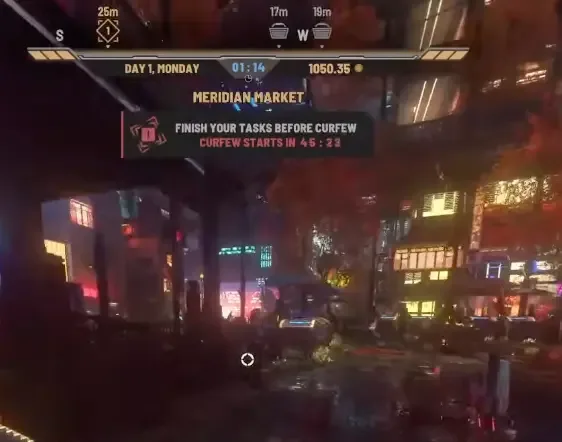
Do not judge the route only by how close a destination looks on the city map. Nivalis is vertically layered, and the last part of a trip can involve finding the correct station exit, staircase, building entrance, or apartment door. A route that appears short can consume the entire countdown if you arrive on the wrong level.
A reliable decision has three checks:
- Destination certainty: You know which apartment, shelter, or transport stop you need.
- Route certainty: You know how to reach the actual entrance, not merely the surrounding block.
- Time certainty: The countdown leaves enough room for the final walk and bed interaction.
If any one of those checks fails, search for a local shelter. Curfew is not the time to learn an unfamiliar cross-district route by trial and error.
Choose home or a public shelter
Your apartment and a public shelter solve the same immediate curfew problem: they give you an interior with a bed so you can end the night. The difference is route length. Your apartment is appropriate when you can reach it confidently; a shelter is the fallback when returning home is impractical.
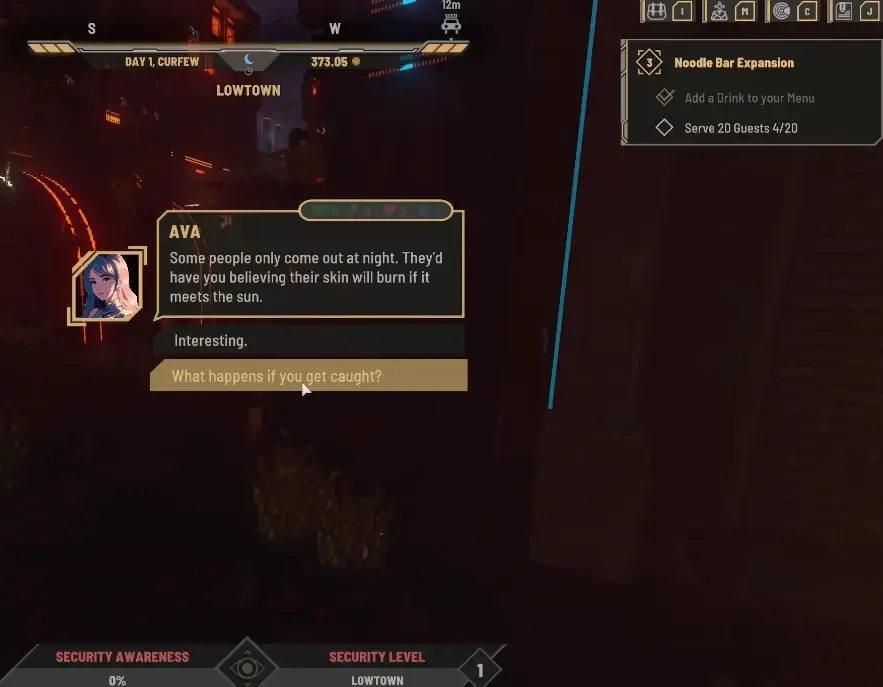
Ava explains that CorpSec watches the streets with security cameras and drones at night, while shelters across the city provide places to hide if you cannot make it back to your apartment. This makes shelters part of the intended curfew response rather than a punishment or emergency restart mechanism.
Use this minimum path:
- Stop any optional activity when the curfew warning arrives.
- Decide whether home or a shelter is closer in practical travel time.
- Bring up the HUD or compass information if the shelter objective is not visible.
- Follow the relevant home-style marker to a usable door.
- Enter the interior and locate the bed.
- Interact with the bed and choose to sleep.
The first curfew can be confusing because the shelter objective may briefly appear while you are already at home, then disappear after the situation changes. It may also be buried beneath other objectives. A missing prompt does not by itself mean that the night is broken or that restarting is required.
Public shelters can resemble apartment entrances. Players describe them as marked doors similar to rentable apartments, except the shelter door is available to enter and leads to a bed. Do not rely on an elaborate shelter building, bright sign, or unique exterior. Concentrate on the HUD marker and whether the door permits entry.
Use HUD markers and nearby landmarks
Players report that pressing C can reveal a HUD ping or compass information that makes the shelter marker easier to see. Because control mappings can differ, treat C as the reported default keyboard check and use the currently displayed control prompts if your binding is different.
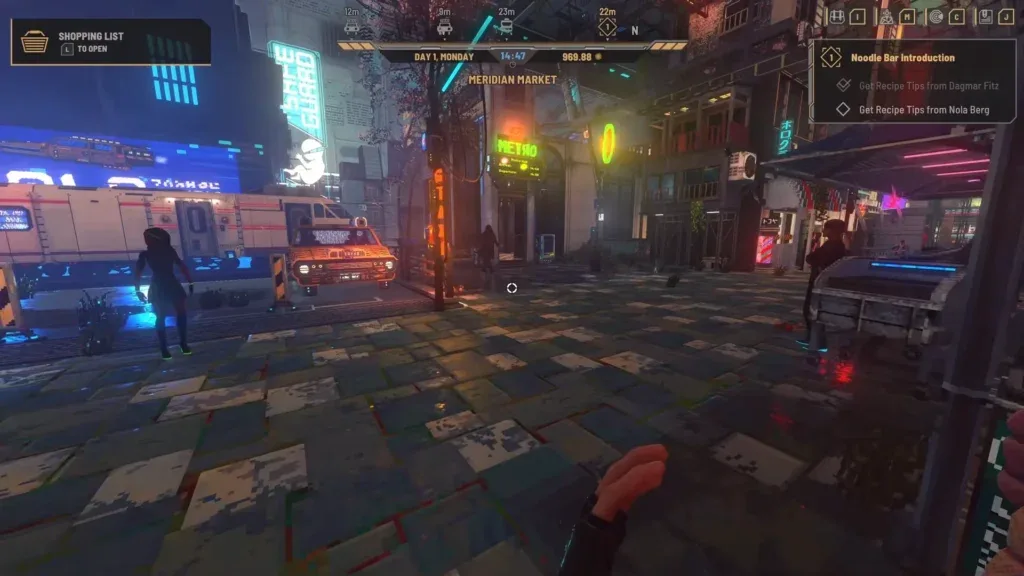
The shelter symbol has been described as a home-style icon resembling the marker used for rentable apartments. That resemblance is useful when searching the compass wheel, but it also creates ambiguity. Confirm the destination at the door instead of assuming every similar icon is a public shelter.
For Meridian Market, reported reference points include the following:
- A shelter close to the taxis in the market area.
- A marked door near the hardware and furniture store by the bridge.
- A door described as two doors away and near the Food Mood sign.
These are practical community landmarks, not a complete or guaranteed shelter directory. Use them to narrow the search in Meridian Market, then confirm the active marker and accessible entrance in your current game. Do not extrapolate those landmarks to every district.
One player also reported opening the map, right-clicking the home station, and selecting an apartment from a drop-down. Treat that as an optional route check rather than the primary escape plan. It may help when the apartment connection is available, but a local shelter is still the clearer fallback when travel home is uncertain.
React to CorpSec detection
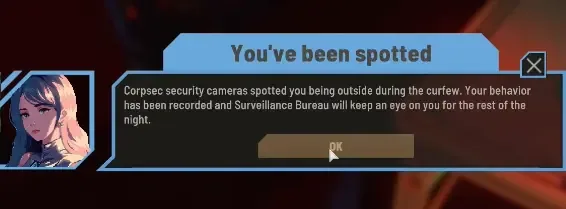
Curfew surveillance includes security cameras and drones. If a CorpSec detection notification appears, assume the current route is exposed and prioritize reaching a safe interior. The available information does not establish a universal detection timer, exact punishment sequence, or guaranteed way to clear every alert, so avoid building a plan around an unverified grace period.
Use a simple response:
- Stop searching side streets for optional objectives.
- Keep moving toward the nearest apartment or identified shelter.
- Avoid extending the route for shops, conversations, or collectibles.
- Use the HUD again if you lose the home-style marker.
- Enter the first confirmed safe sleeping location and use its bed.
Shelters are particularly valuable after detection because they reduce the need to cross more monitored streets. If you have already identified one, do not pass it merely because your apartment feels like the more proper destination. The immediate goal is to get inside and finish the day safely.
Nighttime may offer opportunities connected with illegal trading or rival businesses, but those activities do not make an unplanned curfew run safe. Learn the local shelter entrance and travel route before deliberately staying outside. Otherwise, the potential night activity can leave you circling an unfamiliar district under surveillance.
Avoid the common first-night mistakes
Waiting outside for morning
Do not stand in the street expecting the night to resolve automatically. The supported route is to reach an apartment or shelter and sleep. Remaining outside keeps you exposed to curfew surveillance and does not solve the missing-bed problem.
Restarting before checking for a shelter
A missing or dismissed quest marker can make the situation look broken. Check the HUD, compass wheel, nearby home-style icons, and accessible doors before abandoning the day. The shelter system is designed for exactly the case where you cannot return home.
Traveling to the wrong district or station
District travel does not guarantee that you will emerge beside your apartment. Confirm the destination before committing to transport. After arrival, leave enough time to locate the correct level, stairs, and door.
Reaching home without using the bed
Being inside may remove the immediate street danger, but the day advances through sleeping. If the curfew objective remains active, go to the bed and complete the sleep interaction rather than waiting in the apartment.
Searching only for a unique shelter sign
Shelter doors can look similar to apartment entrances, and players report that daytime identification is difficult because the relevant marking may not be visible then. During curfew, use the HUD or compass marker and test the appropriate door instead of looking only for a large public-shelter sign.
Letting the objective list hide the curfew task
The quest display can become crowded early in the game. If the shelter prompt appeared and then seemed to vanish, inspect the full objective or HUD information. Do not assume the shelter itself vanished simply because its task is no longer prominent.
What remains uncertain in the launch build
A complete verified list of every public shelter and its exact entrance is not available here. Reports indicate that shelters appear across the city, and one player claimed each map has one, but that is not enough to promise a shelter in every possible area or game state. Confirm the marker and accessible door in the district you are actually visiting.
The exact consequences of every CorpSec detection state are also not established well enough to describe as a fixed sequence. Security cameras, drones, detection notifications, and the warning against remaining outside are clear; an exact penalty table is not. The useful response is therefore route-based: shorten exposure, enter a known safe interior, and sleep.
Finally, curfew behavior may change as the launch version receives fixes. If the HUD marker, door access, transport menu, or sleep interaction behaves differently from the steps above, make a manual save from the pause menu when possible and check whether the problem repeats. A genuinely inaccessible marked shelter or a bed that will not complete the night is different from simply overlooking the marker.