To start fishing in Nivalis Nights, visit the Docks and speak to Boardwalk Ady on the pier. He gives you a Rusty Fishing Rod. Open your inventory with I, equip the rod using its hand icon, aim at water, and left-click to cast. Wait until the fishing face icon turns amber, then left-click again to reel in. You do not need to own a boat to begin fishing from the boardwalk or the canals near the Docks.
These are the mouse-and-keyboard controls documented for the launch build. Controller support exists, but the exact fishing button mapping has not been verified here. Use the prompts displayed by your current control setup rather than copying buttons from another fishing game.
Reach Boardwalk Ady at the Docks
The first useful destination is the Docks, where you can obtain the rod without purchasing one. From Meridian Market, check the taxis on the southwest side and look for the destination Take Cab to Docks. Confirm the destination before boarding; another taxi can take you somewhere that does not help with this first fishing trip.
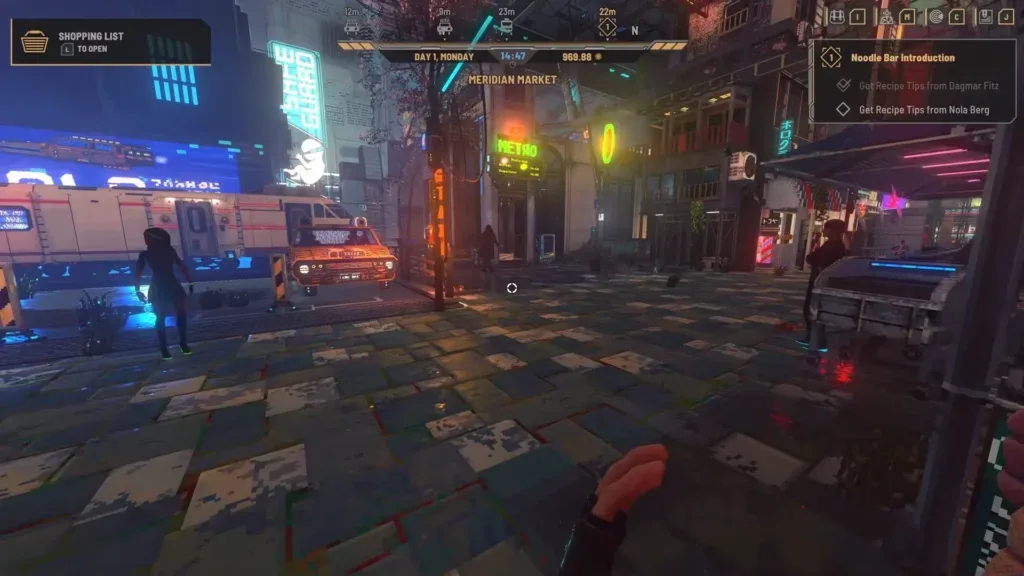
Check the destination and route shown in your current save.
After arriving, walk down the ramps toward the main dock area. Look for a fishing trawler and a small rowboat positioned beside each other near the bottom. Ady fishes on the pier on the other side of those boats. Speak with him to receive the Rusty Fishing Rod.
The boats are landmarks for finding Ady, rather than proof that you already own either vessel. Your initial goal is the conversation and rod. Boat ownership follows its own quest progression and is unnecessary for the basic shoreline controls described below.
If the Docks is already discovered in your save, inspect its available destination on the map. The game's navigation guidance allows fast travel to areas previously discovered through taxi, train, or boat travel. A district appearing on the city map is not the same as having its fast-travel route available, so check the state shown in your current save.
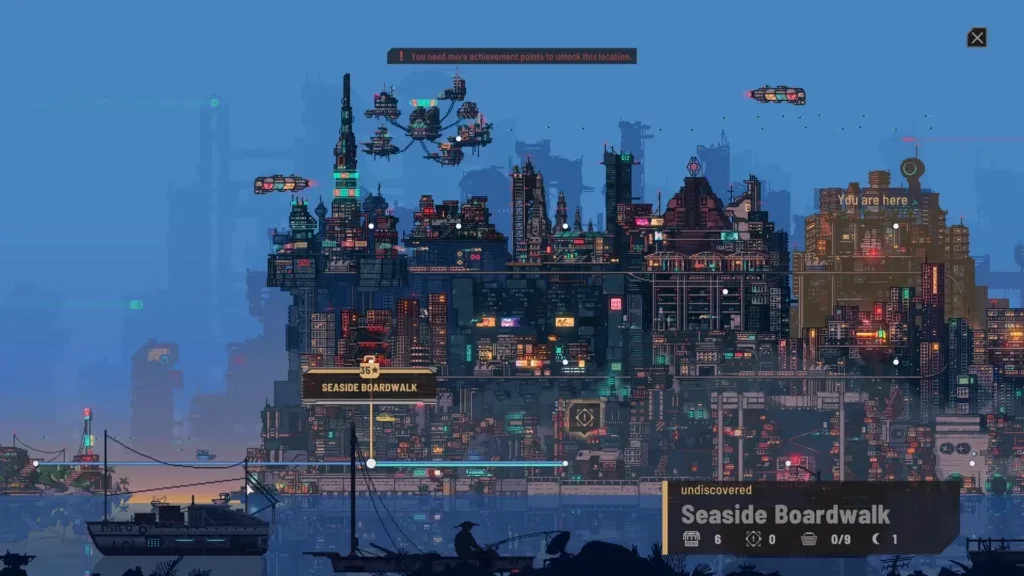
Check the destination and route shown in your current save.
Use the active objective and displayed destination to confirm your route. Do not assume a fixed universal travel cost, achievement-point requirement, or dialogue prerequisite when it is not shown. The confirmed opening route is to reach the Docks, identify Ady beside the pier landmarks, and speak to him for the free rod.
Equip the Rusty Fishing Rod
Receiving the rod does not automatically place it in your hand. If you reach the water and nothing happens, check equipment before assuming fishing is unavailable.
- Press I to open your inventory.
- Find Rusty Fishing Rod in the item list.
- Click the hand icon beside its name to equip it.
- Return to the game view and face an accessible stretch of water.
- Check that you are attempting to cast with the rod equipped.
This distinction between owning and equipping is the first important troubleshooting step. An item can be present in inventory without being selected for use. Buying more equipment or traveling to a different district does not solve that state if the free rod is still unequipped.
The boardwalk and canals near the Docks are documented starting places. Begin there so that you can learn the indicator sequence close to the NPC who gave you the rod. You do not need to search the entire city for a hidden first-cast location.
There is no verified launch-build rod-upgrade table, bait requirement list, or universal best-water ranking for this guide. Do not add an imagined bait purchase or equipment tier to the opening process. Follow the rod and interaction prompts available in your own inventory.
Cast and read the fishing indicator
The basic mouse-and-keyboard sequence uses two timed clicks:
- Aim your crosshair at water.
- Left-click to cast.
- Wait while the face icon shows the waiting state.
- When it turns amber, left-click again to reel in.
- Read the result before beginning another cast.
The face icon communicates the current state:
| Indicator color | Meaning | Your next action |
|---|---|---|
| Blue | Waiting for a bite | Continue waiting for the hooked state |
| Amber | Something is hooked | Left-click to reel in |
| Yellow-green | Catch successful | Inspect the result, then continue if desired |
| Red | Catch failed | Begin a new attempt and watch the next indicator sequence |
An amber indicator does not guarantee that the hooked object is a fish. The catch can also be trash. A successful catch state therefore means you obtained something, rather than proving that a specific fish objective advanced.
Wait for the indicator instead of repeatedly clicking while it remains blue. The documented timing cue is the change to amber; no exact fixed number of seconds between cast and bite has been established. A remembered waiting time is less useful than the visible state on the current cast.
If a catch fails, start another attempt without inventing an additional minigame input. The supported opening procedure is to cast, wait for amber, and reel in. Rod durability, bait consumption, tension bars, and hold-to-reel mechanics should not be assumed from unrelated games.
Complete Ady's first fish request
After your first catch, return to Ady for the next documented step. He asks you to bring a specific group of fish:
| Requested fish | Quantity |
|---|---|
| Burbot | 2 |
| Stickleback | 1 |
| Pike | 3 |
Keep those fish available if you intend to complete his request. Selling every catch immediately can leave you needing to catch the same requested species again. Compare your inventory with the requested quantities before deciding what is surplus.
Once the requested fish are delivered, the documented reward is access to the Underground Fish Market. This is separate from obtaining the rod: you can begin basic fishing before completing the market request. It is also separate from becoming a boat owner.
A successful catch of the wrong species is still a catch, but it does not satisfy a requirement for Burbot, Stickleback, or Pike. Read the actual item name instead of treating every fish-shaped inventory entry as interchangeable. Trash also does not count toward the requested fish quantities.
The available launch-build information does not establish guaranteed catch probabilities or a special technique for forcing those three species. Continue using the supported indicator sequence and check the inventory after each result. Avoid a supposed guaranteed spot or bait combination unless it is shown and supported for the game you are playing.
Decide whether to sell or keep a catch
Fishing has two documented uses beyond discovery: supplying restaurant ingredients and selling catches on the market. Decide which use serves your current needs before clearing the inventory.
Keep a catch when it belongs to Ady's outstanding request or when a recipe on your active restaurant menu specifically requires it. Check the recipe's ingredient field; owning a fish does not establish that every fish dish can use it. Transfer restaurant supplies into the relevant venue inventory rather than leaving them only in your personal inventory.
Sell a catch when it is surplus to those immediate needs and cash is more useful than keeping the ingredient. Freshness matters because decaying fish can sell for substantially less. Prices vary with the day, buyer, and condition, so inspect the current offer instead of relying on a fixed profit-per-cast claim.
The following launch-period examples illustrate the difference between fresh and decaying stock. They are rough observed ranges, rather than guaranteed prices for your current day:
| Fish | Fresh sale value | Decaying sale value |
|---|---|---|
| Burbot | 3.30–3.64 | 1.36–1.50 |
| Pike | 3.07–3.39 | 1.27–1.40 |
| Stickleback | 3.16–3.49 | 1.30–1.43 |
Do not build a money plan by multiplying those figures by an invented catches-per-hour rate. Bite timing, species results, vendor offers, and the time needed to return to a seller all affect the practical result. The useful decision is whether this catch has an immediate quest or restaurant purpose, and how much the current buyer offers before it decays.
Some non-fish catches have been reported as valuable. Inspect the actual item and offer before discarding everything that is not a fish, but do not assume all trash has a high sale value. There is no verified complete trash-value table or guaranteed rare-item farming method here.
Track fish discoveries without inventing locations
The launch-period fishing list contains 24 fish associated with catch achievements:
| Fish | Fish | Fish |
|---|---|---|
| Burbot | Pike | Stickleback |
| Rudd | Crucian | Volga Zander |
| Ide | Carp | Lake Trout |
| Bream | Brook Trout | Tench |
| Dace | Grayling | Perch |
| Roach | Ruffe | Sabrefish |
| Zope | Zander | Taimen |
| Whitefish | Rainbow Trout | Salmon |
This is a discovery checklist, not a table of verified spawn coordinates. The names establish what to look for in your fish records; they do not prove that every species appears at the same pier, hour, weather condition, or rod level.
The Entries interface includes fishing discovery progress. Use it alongside your inventory to distinguish a fish you have already caught from one you still need to discover. Progress and rarity records do not automatically explain how to force the next missing species to appear.
Do not conflate Volga Zander with Zander or Lake Trout with Brook Trout. Similar names are separate checklist entries, just as the fish requested by Ady are separate quantities. Read the label when a catch appears and compare it with the missing discovery rather than relying only on its picture.
Boat fishing is a later progression route
The game allows you to explore the ocean by boat, and its fishing system contributes to restaurant supply and market income. However, you do not begin with a boat. Boat ownership comes through quests, while the Seafarer achievement concerns becoming a boat captain and exploring the sea.
If a boat objective asks you to discover another area, look for marked tunnels. The documented route to new areas uses those marked passages. Follow the objective and visible navigation rather than assuming that any background water or distant skyline is an accessible district.
Boat access should not delay the free-rod shoreline route. Learn the two-click sequence and complete the first fish request from the available waters before treating sea exploration as a requirement. Exact boat acquisition costs, fuel consumption, and species-specific ocean routes are outside the verified opening fishing procedure.
Fix the most common first-fishing blockers
If you cannot start, check the failure point in this order:
- No rod in inventory: Return to Boardwalk Ady and finish the conversation that grants the Rusty Fishing Rod.
- Rod owned but not active: Open inventory with I and use the hand icon beside the rod.
- Nothing happens when casting: Confirm that the rod is equipped and the crosshair is aimed at water.
- Repeated failed catches: Watch for amber and use the second left-click at that state rather than guessing a fixed delay.
- Amber produces trash: Inspect the item; the hooked state can represent either fish or trash.
- Ady's request remains incomplete: Compare the actual species and counts with two Burbot, one Stickleback, and three Pike.
- Restaurant still lacks fish: Check the exact recipe requirement and the venue inventory; a catch in personal inventory is not yet restaurant stock.
- Expected sale value is lower: Check freshness and the current buyer's offer before assuming the earlier example range applies.
If the visible interface does not match the launch-build controls, record the game version and input method before changing unrelated settings. Make a manual save before quitting, and preserve a screenshot or short video of a reproducible failure for support. The reliable starting loop remains obtaining the rod, equipping it, casting at water, watching for amber, and checking the resulting item.